AI voice generation continues transforming content creation, dubbing, narration, gaming, and virtual assistants. Among modern voice cloning tools, GPT-SoVITS stands out for delivering realistic speech synthesis with minimal training data. Content creators, developers, and AI enthusiasts often ask a critical question before installation: What system requirements does GPT-SoVITS require for smooth performance?
Hardware compatibility directly impacts voice quality, training speed, inference time, and software stability. Running GPT-SoVITS on unsupported hardware can lead to crashes, slow rendering, memory errors, or failed installations. Proper setup ensures efficient voice cloning and faster processing.
This guide explains GPT-SoVITS system requirements in detail, including GPU recommendations, CPU needs, RAM usage, storage requirements, operating system compatibility, software dependencies, and optimization tips for beginners and advanced users.
Understanding GPT-SoVITS
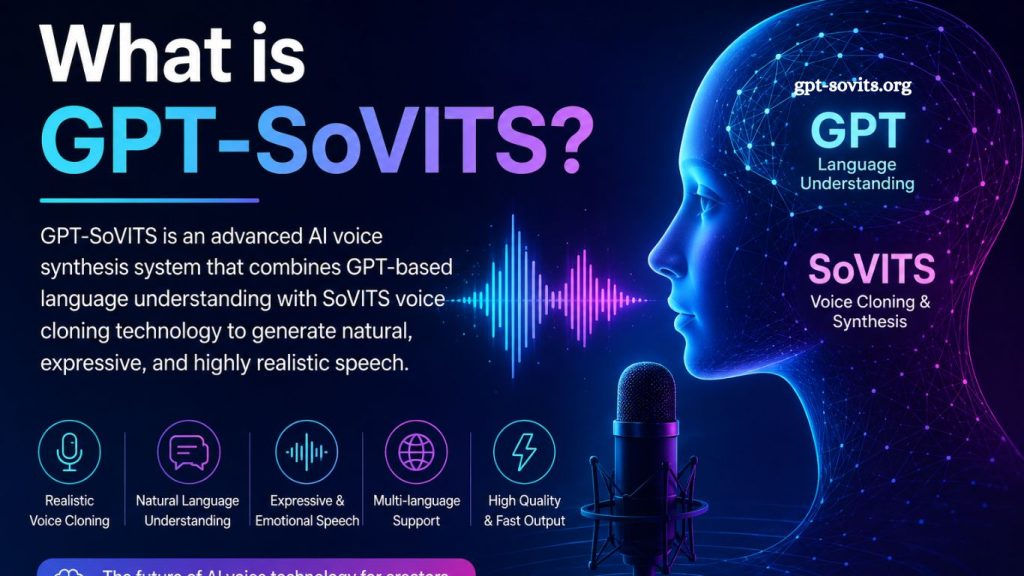
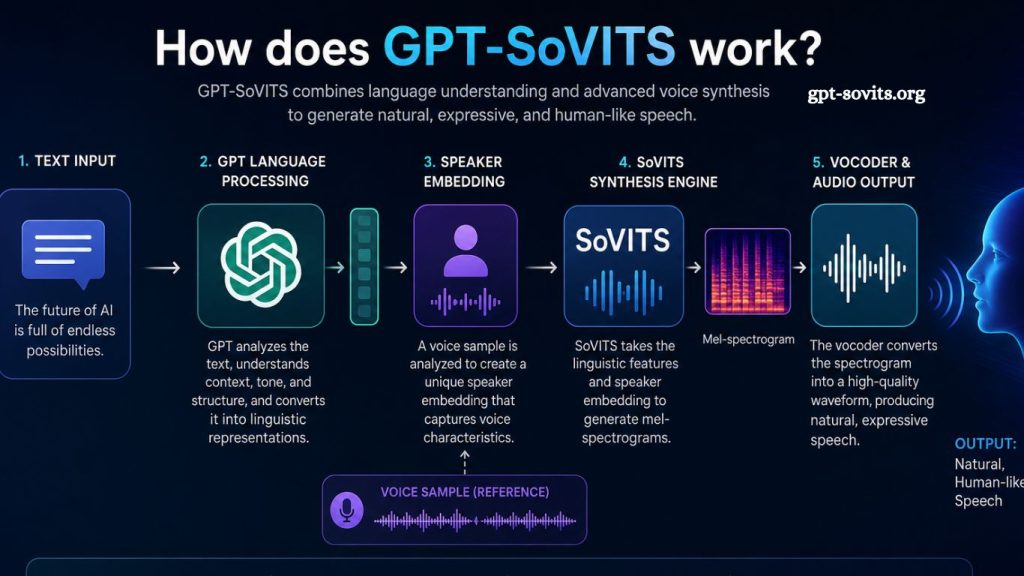
GPT-SoVITS combines GPT-based language modeling with SoVITS voice synthesis technology. Developers designed this framework to generate highly natural AI voices using short audio samples.
Unlike older text-to-speech systems, GPT-SoVITS creates expressive speech patterns, variation in emotional tone, and realistic pronunciation. Many users rely on it for:
- AI voice cloning
- Audiobook narration
- Game character voices
- YouTube dubbing
- Podcast automation
- Multilingual speech synthesis
- Virtual assistant development
Because AI voice generation requires heavy computation, hardware specifications matter significantly.
Read More: GPT-SoVITS for English Voice Generation: Is It Effective?
Minimum System Requirements for GPT-SoVITS
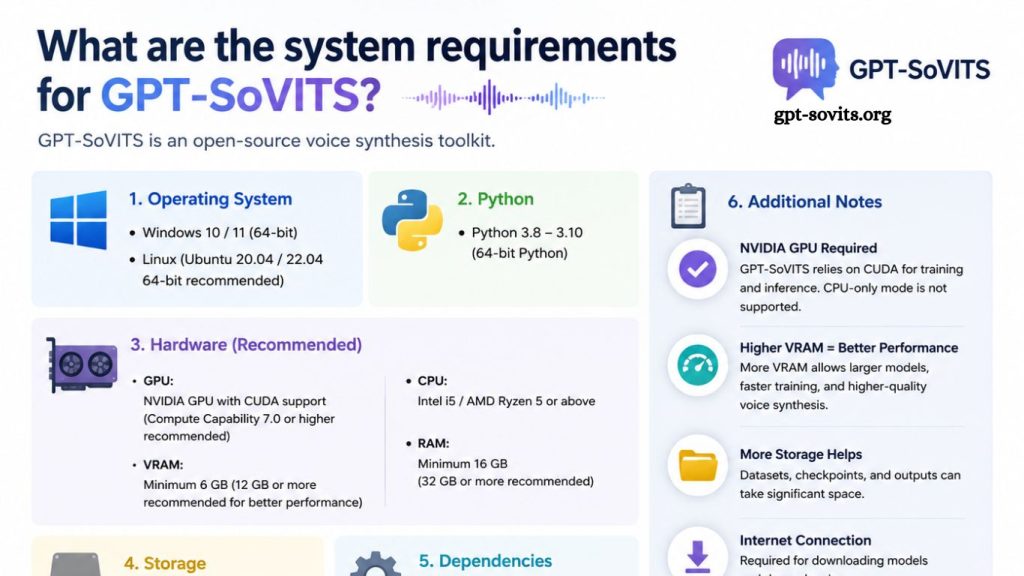
Entry-level hardware can run GPT-SoVITS for basic inference tasks, but performance may remain limited during training or long audio generation sessions.
Minimum Hardware Specifications
| Component | Minimum Requirement |
|---|---|
| CPU | Intel Core i5 8th Gen or Ryzen 5 |
| GPU | NVIDIA GTX 1060 6GB |
| RAM | 16GB |
| Storage | 20GB SSD space |
| Operating System | Windows 10/11 or Linux |
| Python Version | Python 3.9 or newer |
Minimum specifications support light experimentation, short audio generation, and beginner-level voice cloning projects.
Users without dedicated GPUs may still run GPT-SoVITS on a CPU, though generation speed becomes extremely slow.
Recommended System Requirements for GPT-SoVITS
Professional voice synthesis workflows demand stronger hardware. Faster GPUs improve training efficiency and dramatically reduce rendering times.
Recommended Hardware Setup
| Component | Recommended Specification |
|---|---|
| CPU | Intel Core i7/i9 or Ryzen 7/9 |
| GPU | NVIDIA RTX 3060, 4070, or higher |
| VRAM | 12GB or more |
| RAM | 32GB |
| Storage | NVMe SSD with 50GB+ free space |
| Operating System | Ubuntu 22.04 or Windows 11 |
| CUDA Version | CUDA 11.8 or newer |
This setup handles:
- Fast voice training
- Long-form audio generation
- Multiple voice models
- High-resolution synthesis
- Real-time inference testing
Professional creators often prefer Linux because AI frameworks typically perform better in Linux environments.
GPU Requirements for GPT-SoVITS
GPU selection remains the most important factor for GPT-SoVITS performance.
Why GPU Matters
Voice synthesis models process massive datasets during training. GPUs accelerate tensor calculations, reducing processing time from hours to minutes.
Without a capable GPU, training becomes impractical.
NVIDIA GPUs Recommended
Most GPT-SoVITS builds depend heavily on CUDA acceleration, making NVIDIA graphics cards the preferred choice.
Popular GPU choices include:
- RTX 2060
- RTX 3060
- RTX 3070
- RTX 4070
- RTX 4090
Higher VRAM enables larger batch sizes and smoother inference.GPU Requirements for GPT-SoVITS
VRAM Recommendations
| Usage Type | Recommended VRAM |
|---|---|
| Basic Inference | 6GB |
| Moderate Training | 8GB–12GB |
| Professional Workflows | 16GB+ |
Low VRAM often causes “CUDA out of memory” errors during model training.
CPU Requirements for GPT-SoVITS
Although GPUs handle most AI computations, CPUs still influence overall system responsiveness.
Best CPU Options
Modern multi-core processors improve:
- Data preprocessing
- Audio conversion
- Background computations
- Training coordination
Recommended processors include:
- Intel Core i7-13700K
- Intel Core i9 series
- AMD Ryzen 7 7800X
- AMD Ryzen 9 series
Older dual-core CPUs may significantly bottleneck performance.
RAM Requirements for GPT-SoVITS
Memory capacity directly impacts multitasking and training stability.
Minimum RAM
16GB RAM supports:
- Basic model inference
- Smaller datasets
- Light multitasking
- Recommended RAM
32GB RAM provides better stability during:
- Model fine-tuning
- Audio dataset processing
- Long speech generation
- Simultaneous AI applications
Professional studios may use 64GB RAM for enterprise-scale workloads.
Storage Requirements for GPT-SoVITS
Storage speed affects installation, model loading, and dataset management.
SSD vs HDD
Traditional hard drives slow down:
- Dataset loading
- Checkpoint saving
- Model caching
- Dependency installation
NVMe SSDs improve overall responsiveness significantly.
Recommended Storage Space
| Purpose | Storage Requirement |
|---|---|
| Base Installation | 10GB |
| Voice Models | 10GB–30GB |
| Audio Datasets | 20GB+ |
| Training Checkpoints | 10GB+ |
Large projects may easily consume over 100GB.
Operating System Compatibility
GPT-SoVITS supports several operating systems, though Linux often delivers superior compatibility.
Windows Support
Windows 10 and Windows 11 support GPT-SoVITS installations through:
- Python environments
- CUDA toolkit
- Git repositories
Beginners frequently choose Windows because the setup feels easier.
Linux Support
Ubuntu remains the preferred platform for AI development.
Advantages include:
- Better dependency management
- Faster CUDA integration
- Improved PyTorch compatibility
- Stable driver support
Ubuntu 20.04 and Ubuntu 22.04 work especially well.
macOS Compatibility
Mac systems with Apple Silicon can run limited versions of GPT-SoVITS, though compatibility remains inconsistent.
The lack of CUDA support significantly reduces training efficiency.
Software Dependencies for GPT-SoVITS
Successful installation requires several software components.
Python Environment
Most GPT-SoVITS repositories require:
- Python 3.9
- pip package manager
- virtual environments
Incorrect Python versions often trigger dependency conflicts.
CUDA Toolkit
NVIDIA GPU acceleration depends on CUDA installation.
Recommended versions include:
- CUDA 11.8
- CUDA 12.x
Users must match CUDA versions with compatible PyTorch builds.
PyTorch Framework
PyTorch powers model training and inference.
Installation usually includes:
- torch
- torchvision
- torchaudio
GPU-enabled PyTorch dramatically improves performance.
Git Installation
Git allows repository cloning and updates.
Users commonly install GPT-SoVITS through GitHub repositories.
Internet Requirements
Internet speed affects:
- Model downloads
- Dependency installation
- Dataset transfers
- Repository updates
Stable broadband connections improve setup efficiency.
Some pretrained models exceed several gigabytes in size.
Can GPT-SoVITS Run Without a GPU?
Technically, yes. Practically, limitations become severe.
CPU-only execution results in:
- Extremely slow generation
- Long training times
- Higher system load
- Reduced productivity
Basic testing may still work on strong CPUs with enough RAM.
Serious voice cloning projects require dedicated GPUs.
Optimization Tips for Better GPT-SoVITS Performance
Optimized systems deliver faster and more stable AI voice synthesis.
Keep GPU Drivers Updated
Updated drivers improve CUDA compatibility and AI performance.
Use SSD Storage
NVMe SSDs significantly reduce model loading times.
Monitor Temperatures
Long AI training sessions generate substantial heat.
Effective cooling prevents:
- Thermal throttling
- Unexpected shutdowns
- Hardware degradation
- Close Background Applications
Freeing RAM and GPU resources improves training stability.
Cloud Alternatives for GPT-SoVITS
Users without powerful hardware can use cloud GPU services.
Popular options include:
- Google Colab
- RunPod
- Vast.ai
- Paperspace
Cloud platforms provide temporary access to RTX GPUs without the need to purchase expensive hardware.
Many beginners start with cloud services before building dedicated AI systems.
Frequently Asked Questions
What GPU works best for GPT-SoVITS?
NVIDIA RTX GPUs such as RTX 3060, RTX 4070, and RTX 4090 deliver excellent GPT-SoVITS performance and faster training speeds.
Can GPT-SoVITS run without a graphics card?
Yes, GPT-SoVITS can run on a CPU, but voice generation and model training become extremely slow without a dedicated GPU.
How much RAM does GPT-SoVITS require?
GPT-SoVITS requires at least 16GB of RAM, while 32GB provides smoother performance for professional voice cloning tasks.
Which operating system supports GPT-SoVITS?
Windows 10, Windows 11, and Ubuntu Linux support GPT-SoVITS. Many developers prefer Ubuntu for better AI compatibility.
Does GPT-SoVITS require CUDA?
Yes, CUDA support improves GPU acceleration and significantly boosts training and inference performance on NVIDIA graphics cards.
How much storage space does GPT-SoVITS need?
GPT-SoVITS typically requires 20-50GB of free SSD storage for models, datasets, and dependencies.
Is GPT-SoVITS suitable for beginners?
Yes, beginners can use GPT-SoVITS with proper installation guides, cloud GPU services, and compatible hardware configurations.
Conclusion
GPT-SoVITS offers powerful AI voice cloning and speech synthesis capabilities, but system performance depends heavily on the quality of the hardware. Strong NVIDIA GPUs, sufficient RAM, fast SSD storage, and updated software environments ensure stable training and smooth audio generation. Beginners can start with mid-range setups, while professionals benefit from high-end AI workstations for faster processing and better efficiency.